The Hidden Hours MEP Firms Lose to Details
Ask an MEP engineer how long it took them to draft their last detail and they'll tell you 30 minutes. Ask how long it took them to find the previous version of that same detail somewhere in the firm's archive and the answer is much fuzzier, somewhere between "a few minutes" and "I gave up and just redrew it." That fuzzy answer is where most firms quietly lose six figures a year.
The hidden cost of detail work isn't in the drafting. It's in everything that happens before a single line gets drawn. Opening last year's project to copy-paste a similar detail. Hunting through three different network drive folders because nobody remembers which project standardized on the latest revision. Pinging a senior engineer on Teams to ask if they have a clean version of "the one we used on the hospital job." Squinting at four nearly-identical PDFs trying to figure out which one matches the firm's current standard.
Each one of these searches costs five to fifteen minutes. Multiply that by the dozens of details on a typical project, by the dozens of projects in flight at any given time, by every engineer in the firm, the lost hours add up fast. A firm of 30 engineers losing just 45 minutes per person per day to this kind of friction is burning more than 5,500 billable hours a year. At engineering rates, that's a six-figure annual leak hiding inside what looks like normal project work.
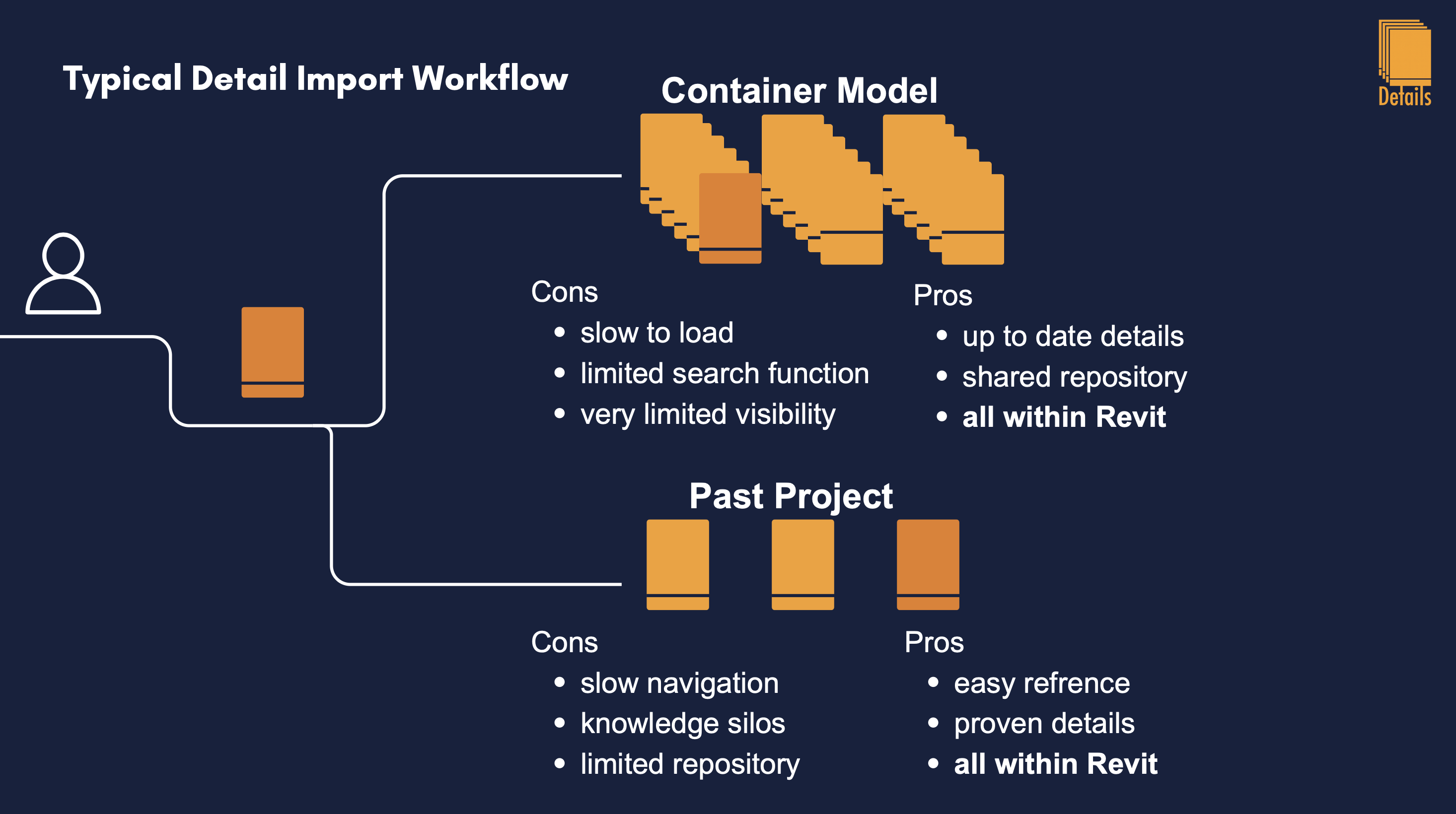
The reason this leak persists is the same reason CMS tools have failed in this industry: every existing solution lives outside Revit. Even when a firm has a perfectly organized detail library on a server, using it requires breaking flow, leaving Revit, navigating folders, opening preview files, downloading, navigating back, inserting. The cost of that context switch is often greater than the cost of just redrawing the detail from memory. So engineers redraw. The library exists, but it doesn't get used. The hours quietly disappear.
A real solution has to do two things at once: it has to live inside Revit, and it has to know what the engineer actually needs without being told. Asking an engineer to type a search query for the right detail is still friction. The plugin has to bring relevant details forward automatically, based on what's already in the model, the system being designed, the equipment that's been placed, the level of detail the project is at, the style of details the firm has used before on similar work.
This is what we built Details and Recs to do. Recs is the AI engine inside Details that watches the active model and surfaces the detail-library entries most likely to fit the current task. If you're modeling a chilled water system, Recs pushes your firm's chilled water details toward the front of the panel before you even open the search bar. If your firm has historically used a specific style of pump-base detail on hospitals, Recs learns that pattern and prioritizes it on your next hospital project. The recommendation engine treats your past project work as a reference, the longer the firm uses it, the sharper its suggestions get.
The other half of the time loss happens at sheet setup. Once an engineer has gathered their details, they still have to drop them onto sheets, align them, space them, fit them within title block conventions. On a project with 40 details across 8 sheets, that's another half-day of pure layout work. Details handles this automatically. It reads the firm's existing sheet templates, including the configured X/Y placement, detail width and height, and horizontal/vertical spacing rules, and it places the selected details in a clean grid that respects all of those constraints. What used to take an afternoon takes seconds. Engineers stay in design work and out of layout work.
This is what makes the difference between "we have a detail library" and "our detail library actually saves us time." Most firms have the first. Almost none have the second. The gap between them isn't about how the library is organized, it's about whether the tooling around it removes friction or adds it. When the library is integrated into Revit, when the recommendations are automatic, and when the sheet-building is one click instead of a half-day, engineers finally stop redrawing what they already have. The hidden hours come back.