5 Best Free Revit Plugins Using AI in 2026
Artificial intelligence is changing how architects, engineers, and BIM managers work in Autodesk Revit. From intelligent detail management to automated modeling and AI-powered rendering, new Revit plugins are helping AEC professionals save time and streamline repetitive tasks.
Here are five of the best free AI-powered Revit plugins worth exploring in 2026.
1. Details by Firm Details — Best for AI Detail Management
Best for: Architects, MEP engineers, and BIM managers.
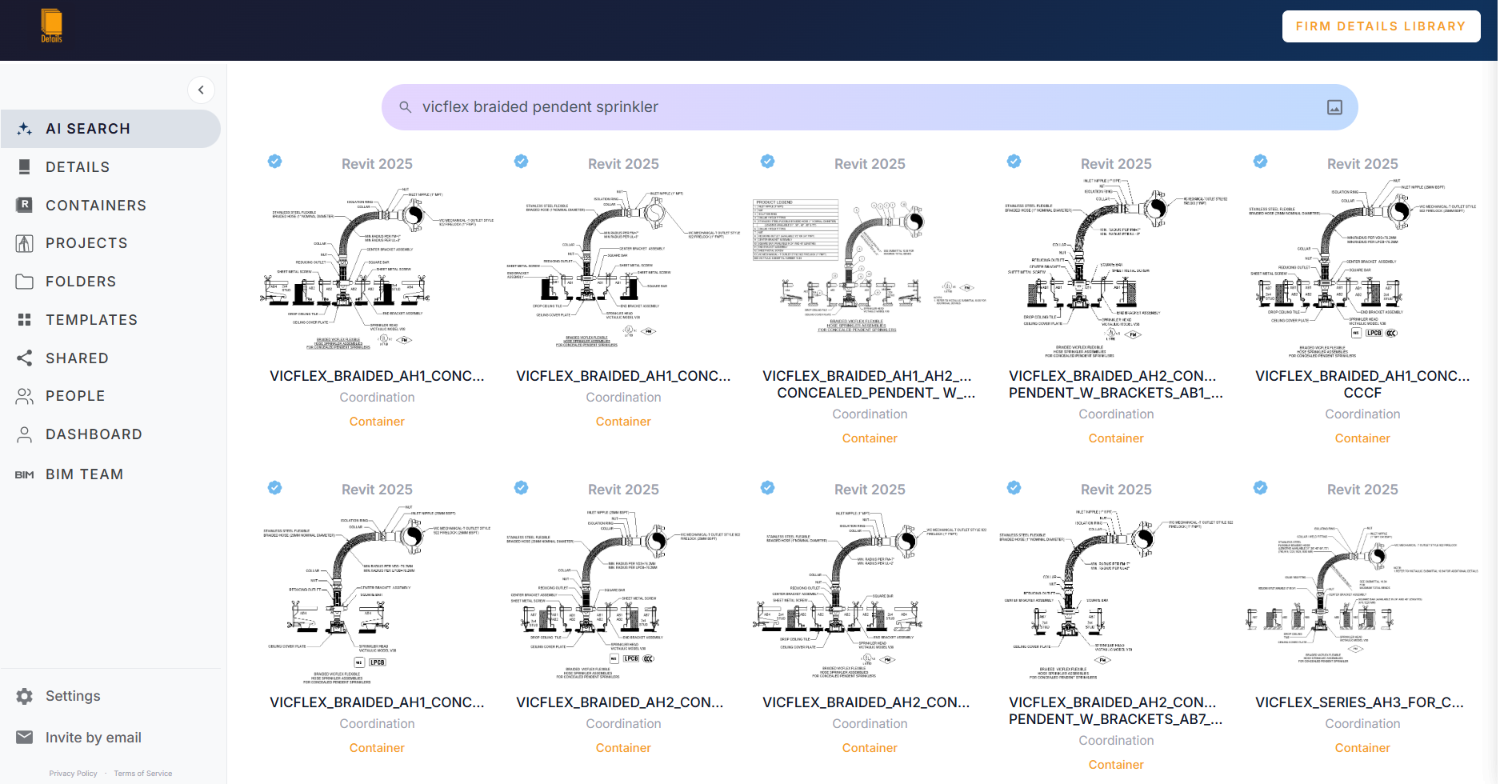
Details by Firm Details is an AI-powered Revit detail management plugin that helps AEC firms organize, search, and reuse their existing drafting details without leaving Revit.
Instead of manually searching through old projects or container models, users can access their firm's entire detail library directly inside Revit. Its AI-powered search understands natural language, while the Recs AI assistant analyzes the active project and recommends relevant details based on equipment, keynotes, and project context.
Key features:
AI-powered natural language detail search.
Intelligent detail recommendations based on active Revit projects.
One-click detail importing directly into Revit.
Firm-wide detail libraries, version tracking, and sharing.
Integration with local servers, BIM 360, and Autodesk Construction Cloud.
Pricing: Free plan available for up to three firm members, with a free introductory period of AI usage. Pro plans unlock unlimited AI requests.
Try Details for Free
https://www.bimdigest.com/blog/spotlight-firmdetails/
2. NonicaTab FREE — Best for AI-Assisted Revit Productivity
Best for: BIM technicians and Revit power users.
NonicaTab combines everyday Revit productivity tools with an AI connector supporting assistants such as Claude and ChatGPT through the Model Context Protocol (MCP).
Its free version includes tools for aligning elements, managing views, coloring model elements, and connecting AI assistants to read and analyze Revit model information.
Pricing: Free version available, with additional tools in the Pro edition.
3. Veras by EvolveLAB — Best for AI Architectural Rendering
Best for: Architects and designers.
Veras uses generative AI to transform Revit models into architectural visualizations. Designers can experiment with materials, environments, and architectural styles using text prompts while maintaining a connection to their model geometry.
Veras is particularly useful during early design development when architects need to explore multiple visual concepts quickly.
Pricing: Free trial available; paid subscription required for continued use.
4. Zeric by Kepha Labs — Best for AI Revit Automation
Best for: Revit engineers and BIM automation specialists.
Zeric allows users to describe Revit tasks in natural language and generate executable commands. Rather than writing scripts or developing custom add-ins, users can use AI to create tools that automate repetitive modeling and documentation workflows.
Its free tier includes unlimited read-only command executions and a monthly allowance for commands that modify models.
Pricing: Free tier available, with optional Pro upgrades.
5. Raya for Revit — Best for Quick AI Visualizations
Best for: Architects and interior designers.
Raya brings AI rendering directly into Revit. Users can capture their current model view, describe the desired materials, lighting, or atmosphere, and generate realistic architectural visualizations.
The plugin is useful for concept presentations, design comparisons, and communicating architectural ideas without setting up a traditional rendering engine.
Pricing: Free plugin with introductory AI credits; additional usage may require purchasing credits.
Final Thoughts: Which AI Revit Plugin Should You Choose?
The best AI plugin depends on your workflow. Veras and Raya are strong options for architectural visualization, while NonicaTab and Zeric focus on productivity and automation.
For architects, engineers, and BIM managers who regularly work with drafting details, Details by Firm Details stands out as a practical AI solution. By combining intelligent search, project-specific recommendations, and centralized detail management, Details makes it easier to reuse existing work and maintain consistent documentation across an entire firm.