Recover project time
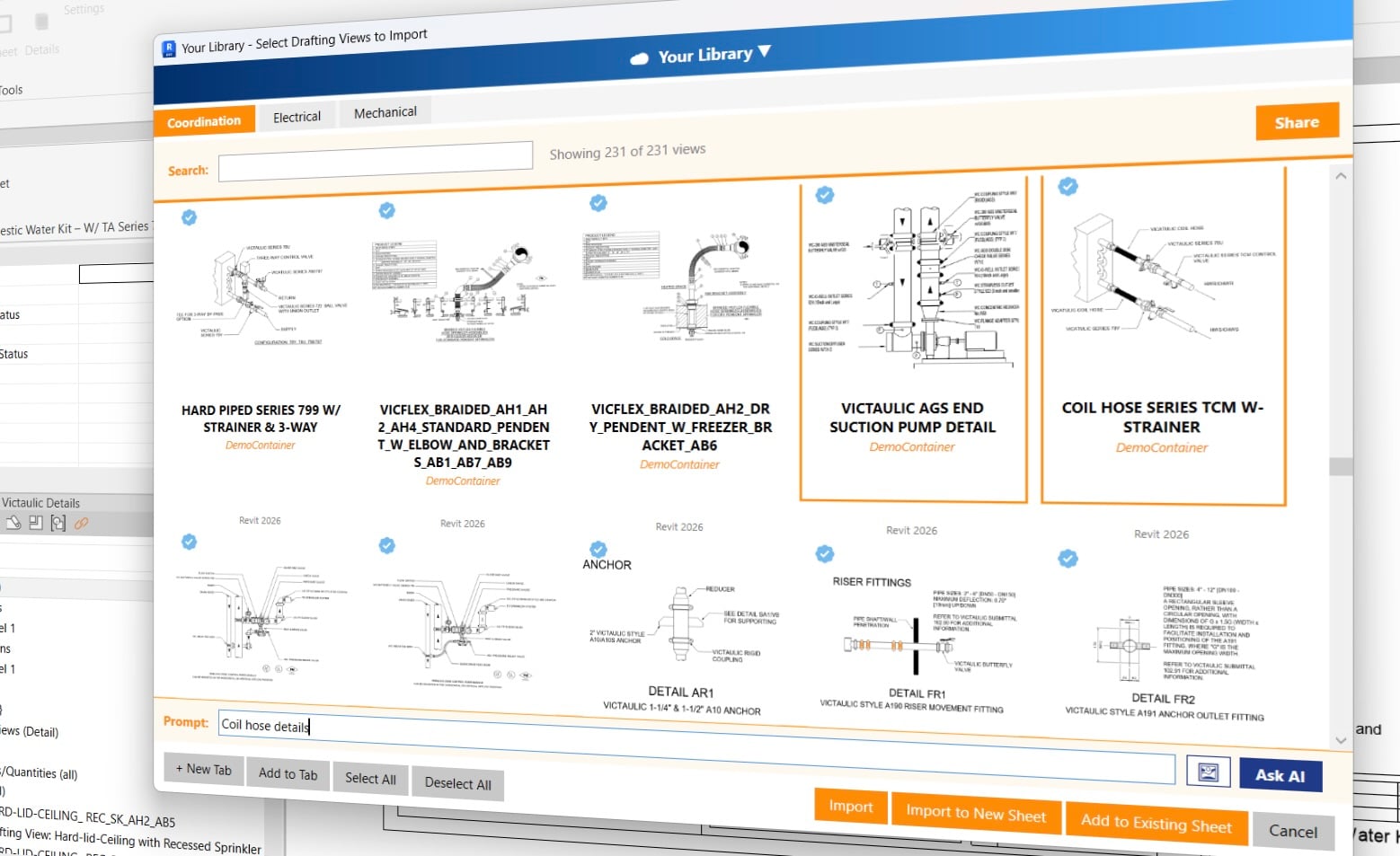
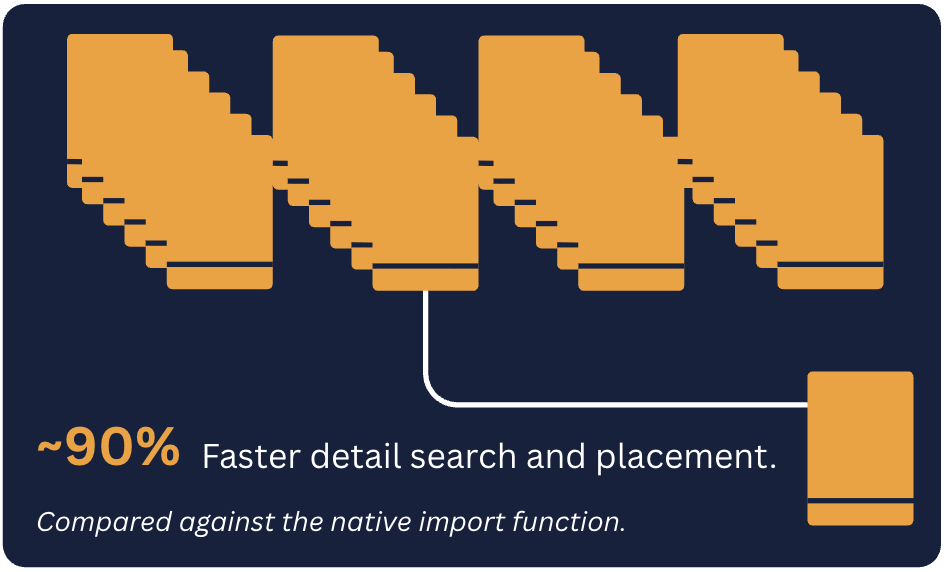
Find and place existing details in seconds instead of opening old projects and hunting through drafting views.
Native Revit detail management for AEC teams
Natural language search and intelligent detail recommendations for your Revit models.




BIM teams using Details
What it is

Details is a native Autodesk Revit add-in that gives architects, engineers, contractors, and multidisciplinary teams one place to find and place drafting views from container models, past projects, and the firm's shared library.
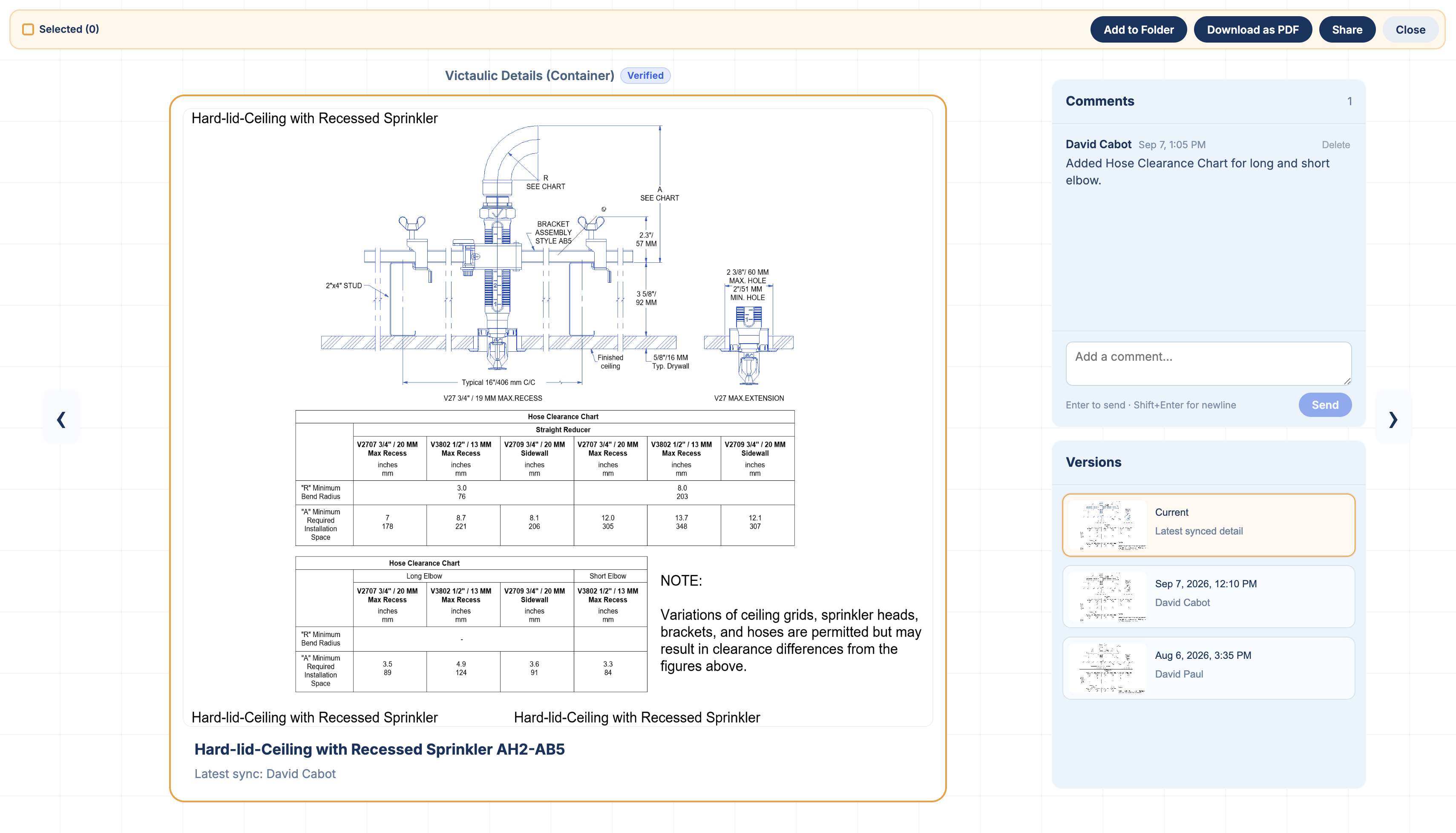
Versioning
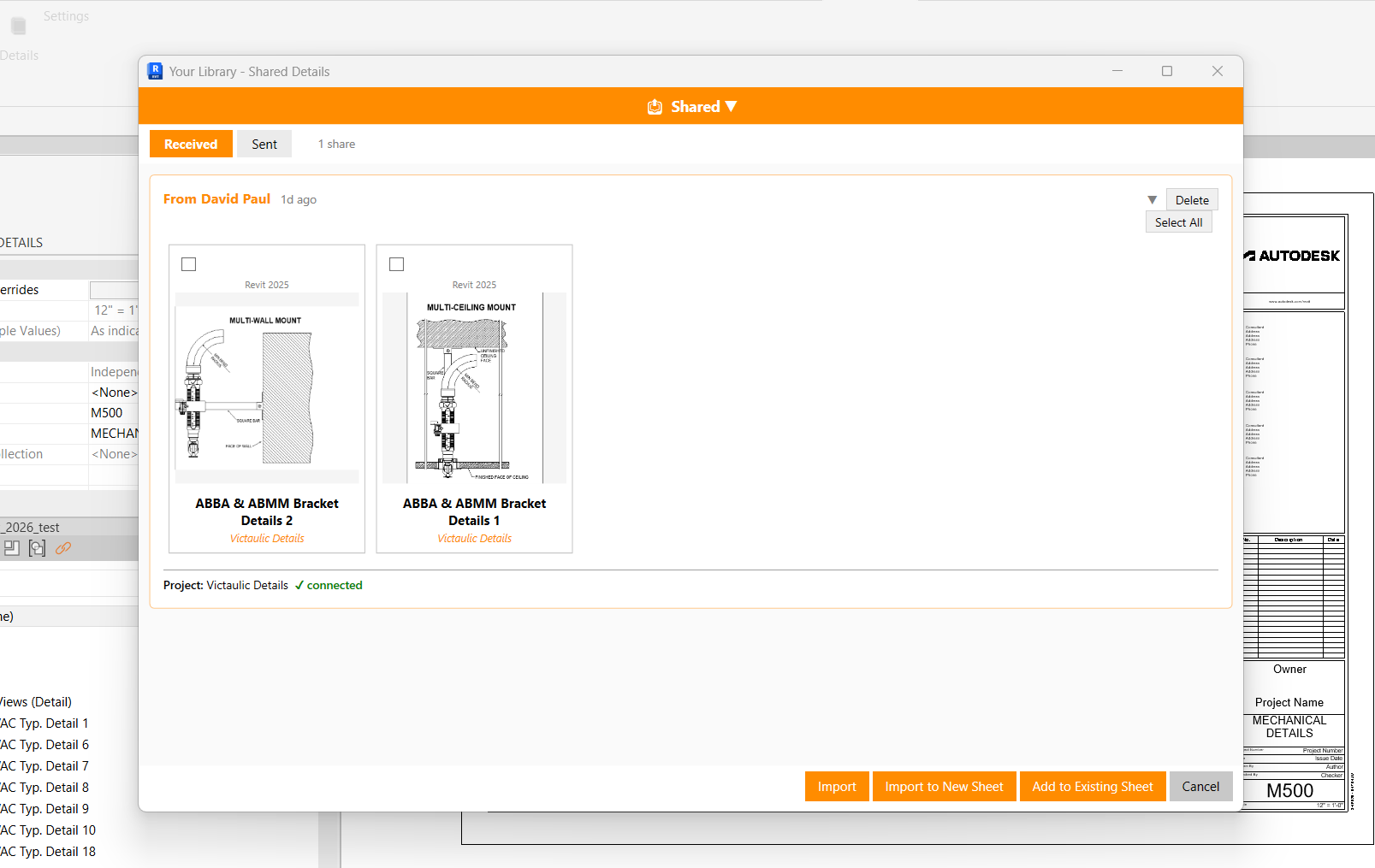
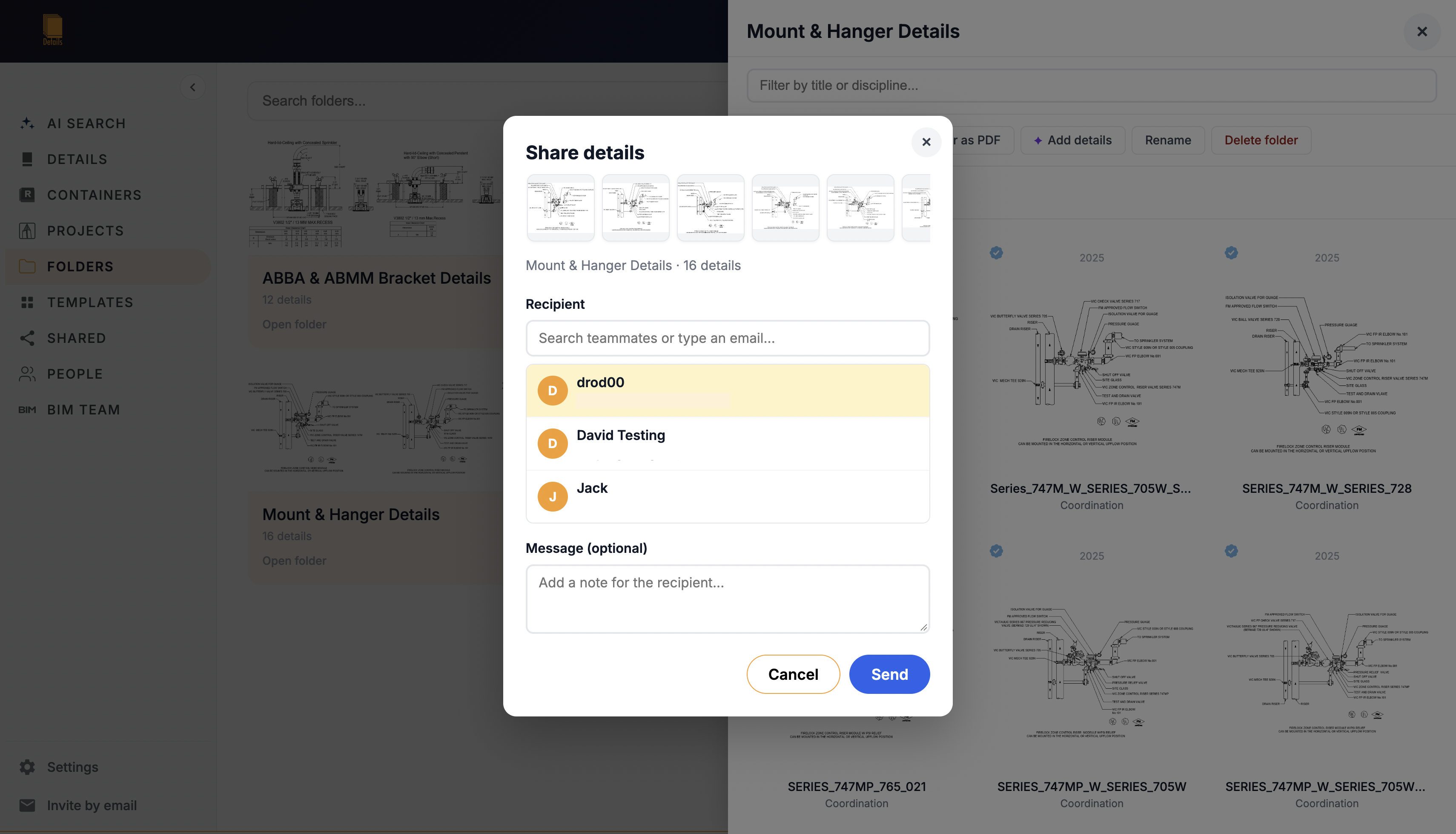
Select one or more details, add a note, and share them with architects, engineers, contractors, or other members of your firm. They receive everything inside Revit, ready to import or place on a sheet without exports, attachments, or searching for the source file.
Why it matters
When design and construction knowledge is scattered across projects, servers, disciplines, and individual memories, teams waste time searching or redraw work that already exists. Details turns those existing sources into a shared, searchable system without forcing architects, engineers, or contractors into a new drafting workflow.
Key benefits
Find and place existing details in seconds instead of opening old projects and hunting through drafting views.
Make details from past architectural, engineering, and construction work accessible across disciplines, not only to the person who remembers the source project.
Share approved details and sheet templates so multidisciplinary teams produce more consistent documents across projects.
Continue using native Revit drafting views, existing models, and current file locations without exporting content elsewhere.
Pricing
$0
3 Free seats included with a firm account
$20/mo
Per seat, per month
Custom
For firms with 25+ users
Features
Connect container models and past projects from local drives, network servers, BIM 360, Autodesk Construction Cloud, or Forma. Each connection remains under your control.
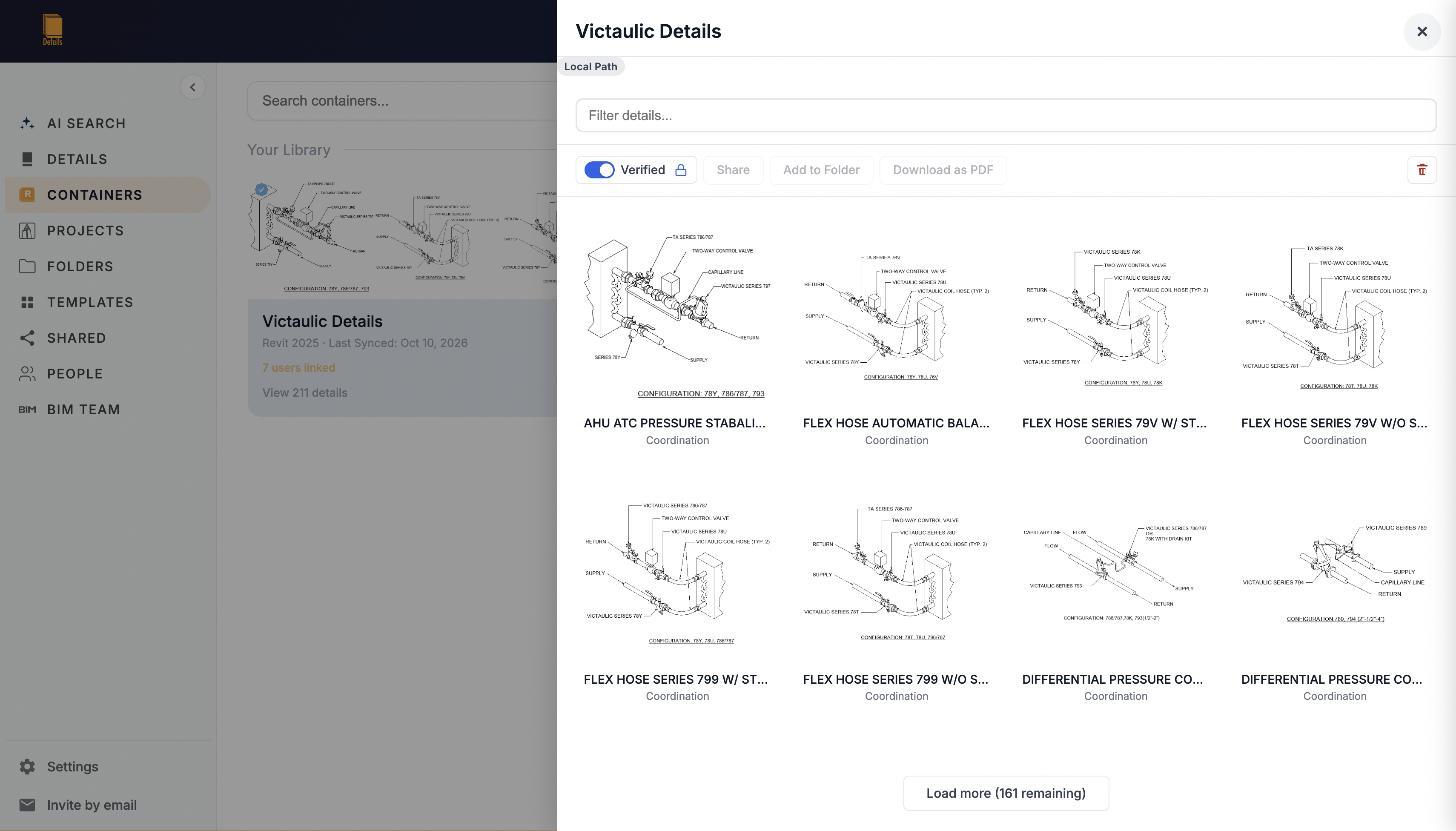
Browse by project, discipline, sub-discipline, or custom tab. Recs uses project metadata to suggest details that match the active project scope.
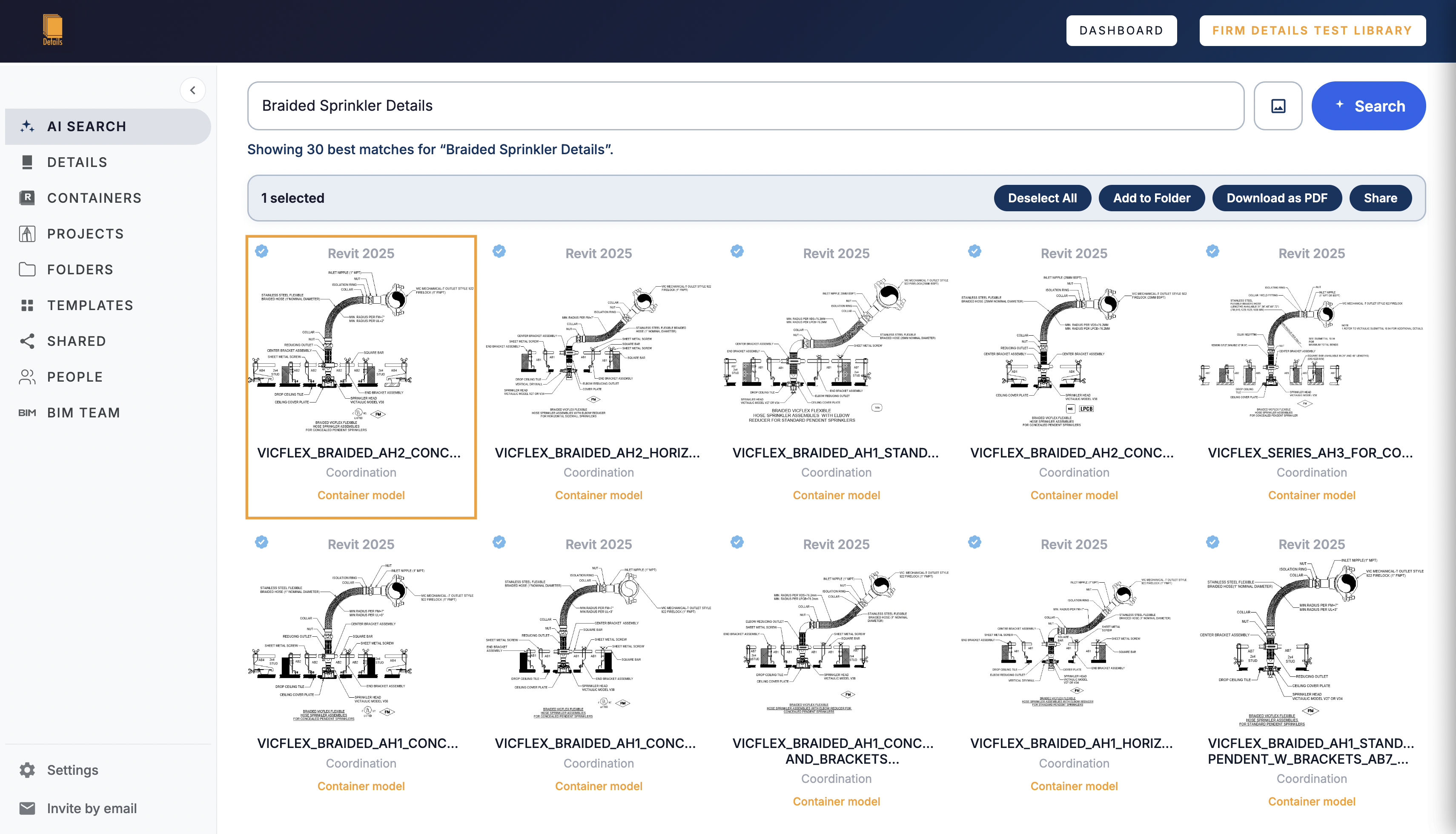
Create personal tabs and firm folders for architectural, engineering, construction, and specialty disciplines; project types; standards; or any structure your teams need. Libraries expand naturally as people use details.
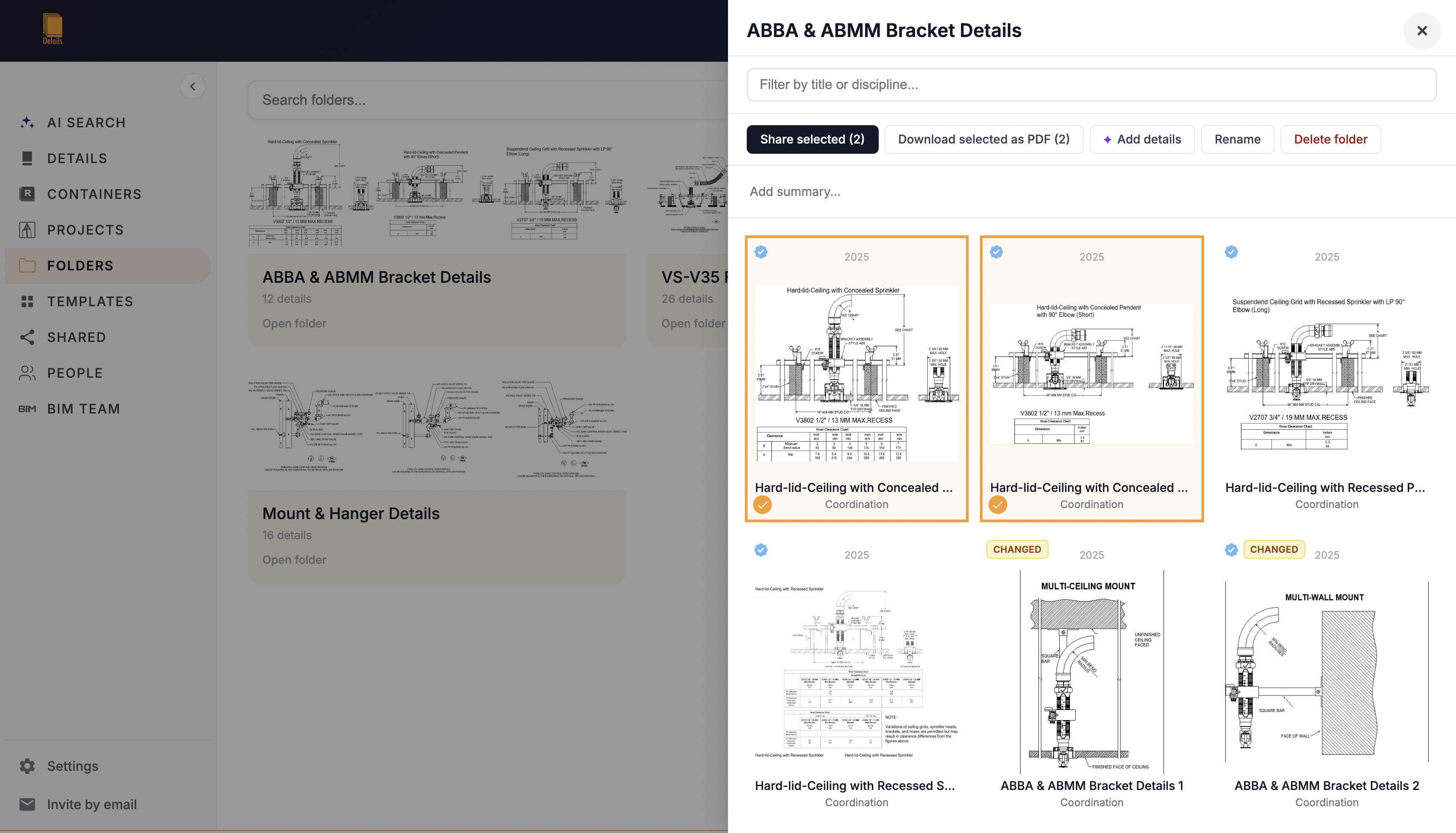
Send a detail directly to another Revit user and publish sheet templates with consistent naming, numbering, spacing, and layout settings.
Proof
Details is developed as a native Revit add-in and Firm Details LLC is a member of Autodesk's Developer Network.
Firm data is isolated and encrypted in transit and at rest. The underlying Google Cloud infrastructure maintains certifications including SOC 2 Type II and ISO 27001.
Product details
Questions
No. Details connects to your existing container models and past projects. Your source Revit files remain in their current locations.
No. Model parsing occurs locally. Details syncs only the thumbnails and metadata needed to search and display details. Revit files, full project files, and geometry are not uploaded.
They are tracked in the firm's library. When a detail is updated, earlier versions are preserved so the team can see what changed over time.
Details is delivered digitally. After creating an account, download the MSI for your supported Revit version from the dashboard. There is no physical product or shipping charge.
Firms with up to 3 people can continue using the Free plan. Larger firms can purchase Pro seats for $20 per seat monthly or $200 per seat annually. Annual billing includes two months free. Volume pricing applies when 25 or more seats are purchased together.
Yes. Firm administrators can permanently delete individual synced projects or wipe the entire firm library from the cloud.
Yes. Admins can create universal container links under Firm Library → BIM Team → Deployment. Links seed automatically into each member's Details connections, can be updated anytime, and can be targeted by discipline so architecture, engineering, construction, and specialty teams receive the right containers.
Details is subscription software rather than a physical product, so it does not include a physical-product warranty. The service is provided under the Terms of Service, and product updates are included while your account is active.
Start with the files you already have
Create an account for your architecture, engineering, or construction firm, install the add-in, and connect your first detail source.