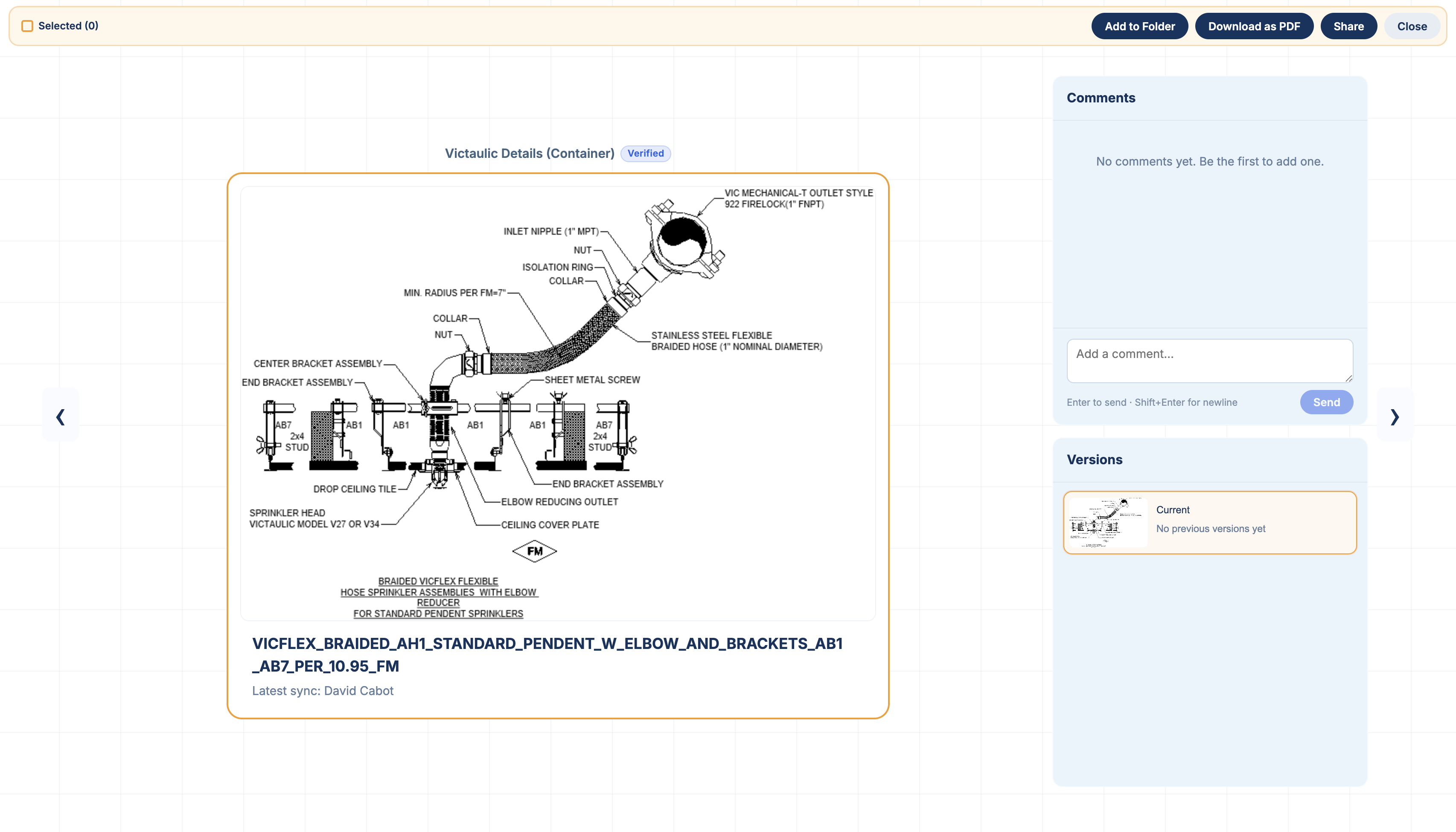
Why BIM Teams Need a Standardized Revit Detail Library
For architecture, engineering, and construction firms, a standardized Revit detail library is one of the most important tools a BIM team can manage.
Most AEC firms already reuse drafting views and standard details across projects. These details may live in Revit container models, previous projects, shared drives, BIM 360 or Autodesk Construction Cloud environments, or separate office standards libraries.
The problem is not whether firms reuse details.
The problem is making sure engineers are reusing the right details.
A well-managed Revit detail library gives engineers access to approved firm standards, helps junior engineers understand which details they should use, and gives BIM managers greater control over how drafting standards are distributed throughout the organization.
With Details, BIM teams can review existing Revit details, verify details that are approved for reuse, and deploy those standards across the firm.
What Is a Standardized Revit Detail Library?
A standardized Revit detail library is a collection of drafting views and construction details that have been reviewed and approved for reuse across multiple projects.
These may include:
~ Mechanical standard details
~ Plumbing details
~ Electrical details
~ Architectural details
~ Structural details
~ Typical equipment details
~ Installation details
~ Diagrammatic details
~ Firm-specific drafting standards
Many firms currently store these details inside one or more Revit container models.
Container models are effective because BIM managers can maintain drafting views directly inside Revit. However, as libraries grow, engineers still need an efficient way to discover which details exist, determine which version is current, and understand which details are considered firm standards.
This is where Revit detail management becomes important.
Why BIM Standardization Matters
BIM standardization creates consistency across projects and gives engineers a trusted starting point.
Without standardized details, engineers may pull drafting views from previous projects simply because they know where those projects are located.
That creates several risks.
A reused detail could contain:
~ Outdated firm standards
~ Project-specific dimensions
~ Client-specific notes
~ Old equipment information
~ Previous specification requirements
~ Details that have been superseded
~ Information that was never intended for general reuse
The engineer may have successfully found a detail, but that does not necessarily mean it is the detail the firm wants them to use.
A standardized Revit detail library gives BIM teams a way to distinguish between historical project details and approved firm standards.
How Standard Revit Details Help Junior Engineers
Detail standardization becomes especially valuable when onboarding junior engineers.
Experienced engineers often build institutional knowledge over many years. They know which container models to open, which projects contain good examples, which details are outdated, and which standards the firm currently prefers.
A junior engineer usually does not have that context.
They may ask:
"Where do we normally get this detail?"
"Which version should I use?"
"Is this still our standard detail?"
"Which project has the most current version?"
Without a standardized BIM detail library, the answer often depends on asking a senior engineer or searching through previous Revit projects.
That slows down both employees.
A verified detail library gives junior engineers a much clearer starting point.
Instead of simply finding a detail that looks correct, they can identify a detail that has already been reviewed and verified by the firm's BIM team.
That improves confidence while reducing the amount of institutional knowledge an employee needs before they can work effectively.
What Role Should the BIM Team Play in Revit Detail Management?
BIM teams already manage many of the standards that keep an AEC firm consistent.
Depending on the organization, this can include:
~ Revit templates
~ Revit families
~ Shared parameters
~ Project setup standards
~ Naming conventions
~ Container models
~ Autodesk Construction Cloud standards
~ BIM 360 workflows
~ Drafting standards
Standard Revit details should be managed with the same philosophy.
The BIM team should be able to review the firm's available details and identify which ones are suitable for broader use.
Instead of every project detail automatically becoming a firm standard, BIM administrators can establish a clear approval process.
This creates two useful categories:
Project Details
Details that exist in previous projects and may still be useful as references.
Verified Firm Details
Details that have been reviewed and approved by the BIM team for reuse across the organization.
This distinction makes a Revit detail library significantly more useful.
Engineers can still search historical project information when necessary, while verified details provide a clear indication of what the firm currently considers a trusted standard.
How Details Helps BIM Teams Standardize Revit Details
Details is a Revit detail management platform designed to help AEC firms organize, search, verify, and reuse drafting views from container models and previous Revit projects.
Instead of forcing BIM teams to rebuild their standards inside another application, Details works with the Revit resources firms already maintain.
The workflow can be broken into four steps.
1. Connect Existing Revit Container Models and Projects
Details allows firms to connect the Revit resources where their details already exist.
That can include:
~ Standard Revit container models
~ Previous Revit projects
~ Local or network Revit models
~ Autodesk Construction Cloud projects
~ BIM 360 projects
Once connected, engineers can browse and search available drafting views without manually opening multiple Revit files.
This makes the firm's existing Revit detail library much easier to discover.
2. Review Details Across the Firm
Once details have been synced, BIM teams can review the content available across the organization's library.
This makes it easier to identify:
~ Duplicate details
~ Older versions
~ Project-specific details
~ Potential firm standards
~ Details that should be updated
~ Details that should be approved for wider reuse
Instead of relying entirely on employees remembering where standards are stored, the firm's detail library becomes visible and searchable.
3. Verify Approved Revit Details
BIM administrators can then identify details that have been reviewed and approved for use.
Verified details give engineers an immediate indication that a particular drafting view has been reviewed by the firm's BIM team.
This is especially valuable when several similar details appear in a search.
For example, an engineer searching for a roof drain detail, mechanical equipment connection detail, or typical plumbing detail may find several examples from previous projects.
A verified standard helps answer the more important question:
Which one does our firm want me to use?
The engineer still needs to confirm that the detail is appropriate for the specific project, but the BIM team has provided a much stronger starting point.
4. Deploy Revit Standards Across the Firm
Creating standards is only useful if engineers can easily access them.
Details allows BIM teams to distribute standardized Revit resources through Universal Container Links.
A BIM administrator can connect a Revit container model once and deploy that connection across the organization.
Connections can also be assigned by discipline.
For example:
~ Mechanical engineers receive mechanical detail libraries
~ Plumbing engineers receive plumbing standards
~ Electrical engineers receive electrical container models
~ Architectural teams receive architectural details
~ Firmwide standards can be deployed to every employee
This eliminates the need for every engineer to manually locate and connect the correct Revit container model.
The BIM team establishes the source once, and the standardized detail library can be made available to the appropriate engineers across the firm.
Revit Detail Standardization Without Replacing Revit
One of the biggest advantages of this workflow is that BIM managers can continue maintaining standard details inside Revit.
Many BIM teams already use Revit container models because they are easy to maintain.
If a standard detail needs to change, the BIM manager can open the container model, update the drafting view, and continue working in the software they already use.
Details acts as the layer between those Revit standards and the engineers trying to find them.
Instead of replacing the firm's existing BIM standards workflow, Details improves:
~ Detail discovery
~ Revit detail search
~ Detail organization
~ Detail verification
~ Detail distribution
~ Firmwide standardization
This allows firms to preserve their existing Revit workflows while making their standards significantly easier to access.
Standardized Details Preserve Institutional Knowledge
Every AEC firm builds valuable technical knowledge over time.
That knowledge is often stored inside previous projects.
A senior engineer may know that a specific project from five years ago contains the firm's best detail for a certain application. Another employee may know that a commonly used detail was recently updated.
The problem is that this information often exists as tribal knowledge.
When employees leave, change offices, or move to different teams, that knowledge becomes harder to access.
A standardized Revit detail library turns some of that institutional knowledge into a resource that can be used across the organization.
Instead of knowing which engineer to ask or which project to open, employees can search the firm's library and identify approved standards directly.
Better BIM Standards Create More Consistent Projects
Standardizing Revit details is not simply about saving drafting time.
It affects how consistently a firm produces work.
A strong BIM detail management process can help firms:
~ Reduce duplicate drafting work
~ Improve consistency between projects
~ Make standards easier to maintain
~ Reduce reliance on tribal knowledge
~ Help junior engineers become productive faster
~ Improve visibility into existing firm details
~ Reduce accidental reuse of outdated details
~ Give BIM managers greater control over drafting standards
As an architecture or engineering firm grows, these benefits become increasingly important.
More employees, more offices, more disciplines, and more Revit projects create more opportunities for detail libraries to become fragmented.
BIM standardization gives those firms a way to maintain consistency as they scale.
The Goal Is Not Just Better Revit Detail Search
Making details easier to search is useful, but search alone does not solve the entire problem.
If an engineer can instantly find ten different versions of the same detail, the firm has improved discovery without necessarily improving standardization.
The more important question is:
Which detail should the engineer use?
That is why BIM governance and detail verification are essential parts of a modern Revit detail library.
With Details, BIM teams can connect the Revit resources their firm already uses, review available drafting views, verify approved standards, and deploy those resources across the organization.
The result is a Revit detail library that does more than make details easier to find.
It helps make the right details easier to find and reuse.
Frequently Asked Questions About Revit Detail Standardization
What is the best way to manage standard details in Revit?
Many AEC firms maintain standard drafting views inside Revit container models. A detail management system can improve this workflow by making those details easier to search, review, verify, and distribute without requiring the BIM team to recreate them outside of Revit.
Why should BIM teams verify standard details?
Verification helps distinguish reviewed firm standards from historical or project-specific details. This gives engineers a clearer indication of which details have been approved for broader reuse.
How does a standardized detail library help junior engineers?
A standardized library reduces reliance on institutional knowledge. Junior engineers can identify BIM-approved details instead of searching previous projects or relying entirely on senior employees to tell them which detail to use.
Can BIM teams deploy different Revit standards to different disciplines?
Yes. With Details and Universal Container Links, BIM teams can deploy specific Revit container models to disciplines such as mechanical, electrical, plumbing, architectural, or other teams.
Does Details replace Revit container models?
No. Details is designed to work with existing Revit container models and project libraries. BIM teams can continue maintaining standard details directly in Revit while using Details to improve discovery, verification, organization, and deployment.