Why Details Is the Best Lightweight Content Management System (CMS) for Small AEC Firms
Every architecture, engineering, and construction (AEC) firm reaches the same point.
Your projects have been successful for years. Thousands of excellent Revit details exist somewhere inside old jobs. Your BIM manager has spent countless hours maintaining container files. Yet engineers still spend half their morning asking:
“Does anyone know where that roof curb detail is?”
Or worse:
“I’ll just redraw it.”
For firms with fewer than 100 employees, this isn’t simply an inconvenience—it’s one of the largest hidden productivity drains inside Revit.
Traditional Content Management Systems Were Built for Enterprise
Most content management systems (CMS) for AEC firms were designed assuming your company has:
* A dedicated BIM manager
* A full-time content librarian
* Large IT budgets
* Months available for implementation
* Thousands of dollars allocated for migration
If you’re a 40-person MEP firm or a 70-person structural engineering office, that approach simply doesn’t make sense.
Smaller firms need software that works immediately—not another implementation project.
That’s exactly why Details was built.
Instead of replacing your existing workflows, Details enhances them.
Your Existing Detail Library Already Contains Your Firm’s Knowledge
One of the biggest misconceptions about content management is that you need to reorganize everything before seeing value.
You don’t.
Your firm’s best details already exist inside:
* Previous Revit projects
* Container models
* BIM standards files
* Local servers
* Network drives
* Autodesk BIM 360 and Autodesk Forma projects
The challenge isn’t creating content.
The challenge is finding it.
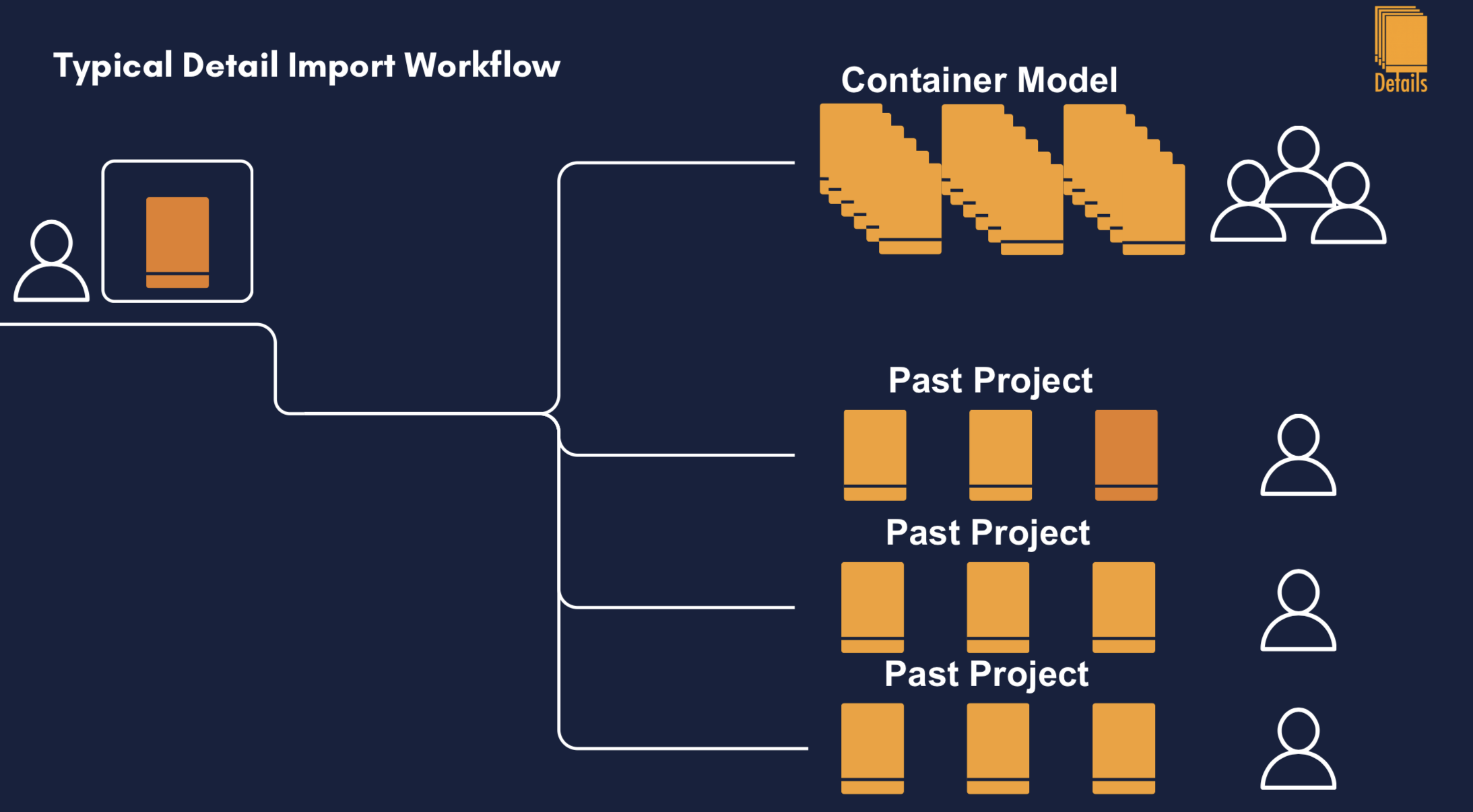
Details connects directly to these existing locations, allowing engineers to browse and search them without manually opening old Revit models or upgrading archived projects. No large migration effort is required because the software works with your existing file structure. (Details)
A Lightweight CMS Designed Around How Engineers Actually Work
Traditional document management systems often force users to leave Revit, search through a browser or desktop application, download content, then return to their project.
That breaks concentration.
Details stays inside Revit.
Engineers can:
* Search past projects
* Browse container models
* Preview drafting views
* Import details
* Build standardized sheets
* Share content across the firm
…without ever leaving the project they’re actively designing. (Details)
The result is dramatically less context switching and significantly faster documentation.
Built Specifically for Firms Under 100 People
Large firms usually have dedicated BIM teams maintaining standards.
Smaller firms rarely do.
Instead, everyone wears multiple hats.
One engineer may design HVAC systems in the morning and update company standards in the afternoon.
That’s why Details focuses on automation.
As engineers continue doing normal project work, the firm’s searchable library grows naturally.
Nobody has to spend weeks manually organizing thousands of details.
The library expands automatically as projects are connected and details are reused. (Details)
AI That Recommends Your Firm’s Details—Not Generic Content
Many software companies advertise AI.
Very few use it to solve an actual workflow problem.
Details includes an AI recommendation engine that analyzes non-sensitive project metadata—including detail names, annotations, and family names—to recommend details your firm has already used successfully on similar projects. Full Revit models and geometry remain on your computer and are never uploaded for AI processing. (Details)
Instead of searching manually, engineers receive intelligent recommendations based on their own firm’s historical work.
This preserves institutional knowledge while reducing repetitive drafting.
Standardization Without Slowing Teams Down
Consistency is one of the hardest challenges for growing engineering firms.
As companies hire new staff, documentation standards naturally drift.
Sheet numbers become inconsistent.
Naming conventions change.
Old details continue circulating.
Details addresses this by allowing firms to distribute standardized sheet templates, naming conventions, spacing rules, and reusable detail layouts directly through the plugin. (Details)
Every engineer benefits from the same standards without requiring constant oversight from BIM managers.
Enterprise-Level Security Without Enterprise Complexity
Security matters.
Especially when firms are evaluating cloud software.
Details was intentionally designed so that:
* Full Revit models never leave your computer.
* Only lightweight metadata and thumbnails are synchronized for search.
* Each firm’s information is isolated from every other firm’s data.
* AI recommendations remain firm-specific.
* Customer data is never used to train AI models. (Details)
For smaller firms that don’t have dedicated cybersecurity teams, this approach provides enterprise-grade protection without introducing unnecessary complexity.
A Free Entry Point That Scales With Your Firm
Many AEC software platforms require a significant financial commitment before firms know whether employees will actually use the system.
Details takes the opposite approach.
The Basic plan is free and includes core functionality such as the Revit plugin, personal and firm detail libraries, unlimited library storage, and firm dashboard access. Firms only upgrade to Pro when they want unlimited AI recommendations. (Details)
This dramatically lowers the barrier to adoption while allowing firms to experience measurable productivity improvements before making a purchasing decision.
Why Lightweight Beats Complex
Small and mid-sized AEC firms don’t need another complicated enterprise platform.
They need software that helps engineers:
* Find details faster
* Reuse proven work
* Maintain consistent standards
* Reduce repetitive drafting
* Preserve institutional knowledge
* Stay inside Revit
That’s exactly what Details was designed to do.
Rather than replacing your existing workflows, it quietly improves them.
For firms under 100 employees, that’s often the difference between software that gets purchased—and software that actually gets used.
Ready to Modernize Your Revit Detail Library?
If your engineers still spend valuable time searching through archived projects, opening container files, or recreating details that already exist, it’s time to rethink how your firm’s knowledge is managed.
Details transforms your existing Revit projects into a searchable, AI-assisted content management system without requiring an expensive migration or months of implementation.
Start with the free Basic plan, connect your existing projects, and see how much time your team can save on every project.